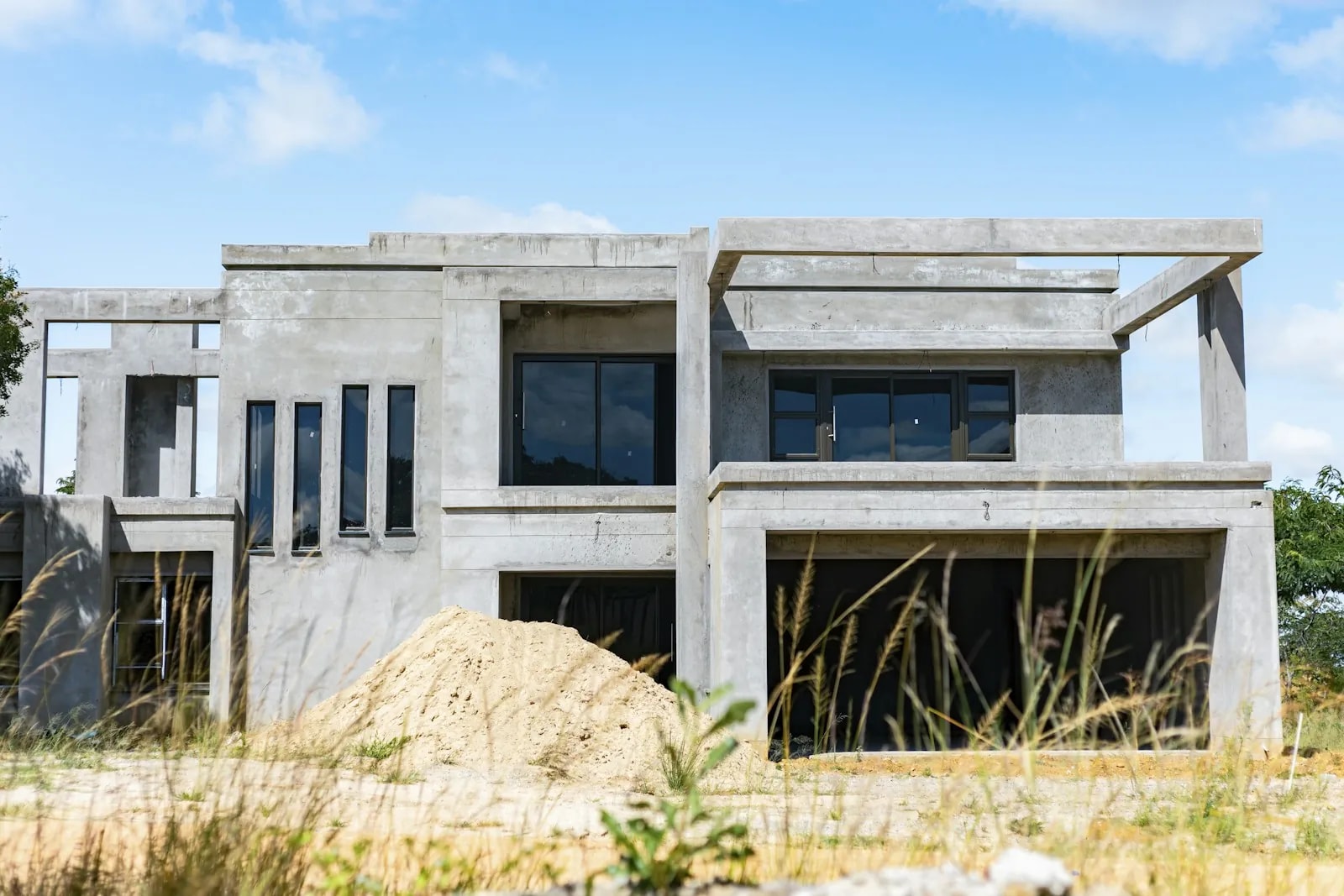
You can still change the wiring in an off-plan Dubai home. The window is short, it is easy to miss, and almost nobody tells a buyer where it sits.
Pre-wiring during construction costs 60 to 70 percent less than retrofitting the same home once it is finished.[8] That gap has little to do with the hardware. It is the cost of opening walls, patching, and repainting.
Real talk: most smart home pre-wiring advice assumes you can walk your own building site and brief an electrician. A standard off-plan buyer in Dubai cannot do that. This guide covers what you actually control, stage by stage.
When can you still change the wiring in an off-plan home?
You can change the wiring from the day you book until the day the walls close. After that, every change is a retrofit against a finished, inspected building.
In practice there are two moments a normal buyer can use. The first is the week you sign, when you still hold the money and can put a written question to the developer. The second is the gap between handover and move-in, when the home is empty.
Everything in between belongs to the developer's main contractor and MEP consultant. MEP is short for mechanical, electrical, and plumbing: the wiring, the AC pipework, and the drainage, designed once and built to drawings.
That is why timing beats budget here. A buyer with AED 100,000 to spend and no access changes nothing. A buyer with a written question in month one sometimes changes a lot.
Common mistake: waiting until handover to think about wiring, then discovering the switch boxes have no neutral and the ceiling has no data cable. By then the cheap version of the job is gone.
The off-plan smart home wiring timeline, from booking to move-in
Here is the whole purchase, stage by stage, with what you can realistically change at each one. Use it to work out where your own unit sits today.
| Stage | What is happening | How much say you have | Who to ask |
|---|---|---|---|
| Booking and SPA signing | You sign the sales and purchase agreement, and the sale is entered in the Dubai Land Department interim register[2] | Full commercial say, and nothing is built yet. The best moment to ask, in writing | The developer's sales or customer care team |
| Design finalisation | MEP drawings are approved and issued before the work goes to tender | High on paper. Close to zero in practice, because a standard buyer never sees this stage | Customer care, to ask whether a buyer variation process exists at all |
| Rough-in and MEP first fix | Cable, conduit, and back boxes go in while the walls are still open | The real physical window. Standard off-plan buyers rarely have site access here, so this stage is realistic mainly for bespoke and semi-custom villas | Customer care, who pass approved requests to the contractor. Never brief site trades yourself |
| Fit-out and finishes | Walls close. Plaster, paint, switch plates, and light fittings go in | None for anything structural. The window is shut | Customer care, to confirm what the spec sheet already promised |
| Completion notice, snagging, handover | Final payment, your snag inspection, then title deed registration[2] | Your last checkpoint. You can add wiring items to the snag list and request drawings | The developer's handover team, or your own snagging inspector |
| Right after handover, before move-in | The home is legally yours, finished, and completely empty | The best window you have left. Still a retrofit, but the cheapest one you will ever get | An independent smart home installer or licensed electrician |
Two rows do the heavy lifting. Row one is where you ask. Row six is where you act if the answer was no.
Which community you buy in changes the odds. A plot still under construction in a newer district gives you a live pre-wire window. A 2006 villa gives you a retrofit. Our guide to smart home communities in Dubai maps that community by community, so this guide stays on the wiring itself.
Why the standard pre-wire advice does not fit most Dubai buyers
Most pre-wire guides assume you can walk your own building site and brief an electrician. A standard off-plan buyer in Dubai cannot do either.
The common advice reads like this. Hire a smart home integrator before the drawings are final, then run your cabling during first fix. That works for a self-build or a genuine custom villa. It does not describe how a mass-market off-plan sale actually runs.
In a normal tower or villa community, the wiring is designed once by the developer's MEP consultant, then built to fixed drawings. You almost never see that stage, and you cannot instruct the site trades who build it.
The honest split is between two kinds of buyer. A bespoke or semi-custom villa client, with an integrator working next to the MEP consultant, can run the full pre-wire scope. A buyer of a standard unit gets whatever the spec sheet already promised, and rarely more.
Developer policy on changes is not one rule across Dubai. It differs by developer, by project, and often by unit type inside the same project. Some communities make owners get the master developer's approval before any change, and enforce it with fines. Others are looser. Confirm the rule for your own project, in writing, rather than trusting a blanket claim.
Villa or apartment: why your say is completely different
In an apartment, the building's shared systems are locked before you ever see the unit. In a villa, you get more room to change things, mostly after you take the keys.
An apartment shares its wiring with the whole tower. The climate control runs on district cooling from a provider like Empower or Emicool. The fan coil unit in each room, the FCU, is wired to a fixed design. You cannot change that topology as one buyer. What is left worth asking about is data cabling, neutral wires at switches, and camera runs inside your own unit.
The FCU wiring itself, two-pipe or four-pipe, on-off or modulating valve, is set by the building's cooling consultant, not by you. For which smart thermostats work with which setup, see our guide to district cooling and smart thermostats in Dubai.
A villa gives you more. A bespoke or semi-custom plot lets you shape the MEP design itself. A standard off-plan villa is built to a fixed spec, like any apartment. The real difference comes after handover, when you can chase walls and add conduit far more freely. That freedom is still subject to a community No Objection Certificate, or NOC, from the master developer.
| What you want to change | In an apartment | In a villa |
|---|---|---|
| Base electrical and MEP wiring | Fixed at building level by the developer's MEP consultant. No unit-level say | Fixed for a standard off-plan villa. Open only on a bespoke or semi-custom plot |
| AC and FCU control wiring | Set by the district cooling and cooling design. A buyer cannot change the topology | More room to choose the thermostat and zoning, mostly after handover |
| Data and Cat 6A cabling | A spec-sheet-level ask that is at least plausible before handover | Easier to add, both at spec stage and after the keys |
| Camera and PoE runs | Limited to your own unit and its entry, not the shared areas | The full plot, gate, and garden are yours to plan |
| Changes after handover | Constrained by shared systems and the owners association rules | Much freer to chase walls and add conduit, subject to a community NOC |
If your villa is already built, our smart home roadmap for Dubai villa owners lays out the phases in order. This guide stays on the wiring you fix before that roadmap begins.
What to ask your developer, and exactly when
Ask two sets of questions at two moments. One the week you sign, one at snagging. Put both in writing and keep the replies.
Send the questions to the developer's customer care or handover team, not the sales office and never the site contractor. The main contractor and the MEP subcontractor build to approved drawings and cannot take instructions from one unit buyer.
At booking, ask:
- Does this project run a buyer variation process for electrical or MEP items, and if so, what is the window and the cost?
- Will each switch box have a neutral wire run to it and terminated?
- What data cabling, conduit, and camera points does the unit spec sheet already include?
At snagging, ask:
- Can I have the as-built electrical drawings for my unit?
- Which telecom provider serves this building, Etisalat by e& or du, and is fibre already pulled to the unit?
Expect the variation answer to be no on a standard unit in a mass release. That is normal, not a warning sign about the developer. A no simply moves your whole plan to the empty window right after handover. If you are unsure how to word these, send them to our team on WhatsApp and we will help with the phrasing.
Do smart switches need a neutral wire?
Most smart switches need a neutral wire at the switch box to work. You cannot assume a Dubai switch box has one, and you cannot tell from the switch plate.
Here is why. A smart switch holds a small radio and a processor that must stay awake to listen for commands, even when the light is off. That standby power returns through a neutral wire. No neutral at the box, no return path, and most smart switches will not run there.
Whether a neutral is present comes down to the wiring method. In a loop-in at the switch method, live and neutral both reach every switch box, so a neutral is sitting there. In the older loop-in at the ceiling rose method, only a switched live runs down to the switch, and no neutral reaches the box.
There is no single Dubai-wide standard for which method a builder used. It can even change from room to room in the same home. So it has to be checked, not assumed. A licensed electrician opens one box and checks in a couple of minutes. Do this in more than one room before you buy any smart switch.
Quick math: at first fix, a neutral to every switch box is a few extra metres of cable. After plaster and paint, the same job means chasing walls, patching, and repainting. That is why it is the cheapest high-value request in this whole guide.
If a box has no neutral and the walls are already closed, you still have options. A no-neutral smart switch exists, but the small current it pulls through the lamp circuit can make LED bulbs flicker or glow faintly. Smart bulbs are the other route, with no wiring change at all. Pulling a fresh neutral back to the box is real rewiring work, not a quick swap.
What should you pre-wire in a Dubai smart home, room by room?
At a minimum, pre-wire six things: data to every room, a central comms spot, neutral wires, window-head power, camera runs, and spare conduit. The table below covers each one.
The theme is simple: pre-wire the parts that are cheap as cable and expensive as a wall repair. Cat 6A is the data cable grade to ask for. It carries fast network to each point and costs little more than older Cat 6. Power over Ethernet, or PoE, sends both power and data down the same cable, which is how most cameras are fed.
| System or location | What to pre-wire | Why now, not later |
|---|---|---|
| Every switch box | Neutral wire run and terminated | The cheapest, highest-value ask, and the one that lets any future smart switch work |
| Every room | One or two Cat 6A data points to a central point | Brand-agnostic, and supports Wi-Fi access points and smart TVs without leaning on wireless alone |
| Comms location | A dedicated spot with its own power circuit and airflow | Everything terminates here, and retrofitting it later usually costs you a cupboard |
| Every window for blinds | Low-voltage power to the window head | Motorising later without it means chasing a wall behind a fitted curtain box |
| Living areas, majlis, main bedroom | Speaker cable for whole-home audio | In-ceiling speakers are one of the most disruptive things to add after finishes |
| TV wall or cinema room | Conduit and cabling behind the wall | Far cheaper to run before the wall closes than to chase afterward |
| Entry, driveway, garden | PoE Cat 6A runs to planned camera positions | The camera brand can change later, but the cable run is the hard part |
| Gate and front door | Power or PoE to the gate motor, intercom, and lock | A wired lock or gate never needs a battery change, and adding power later means fresh chasing |
| Between floors and outdoors | Spare empty conduit | An empty pipe costs little and keeps every future option open |
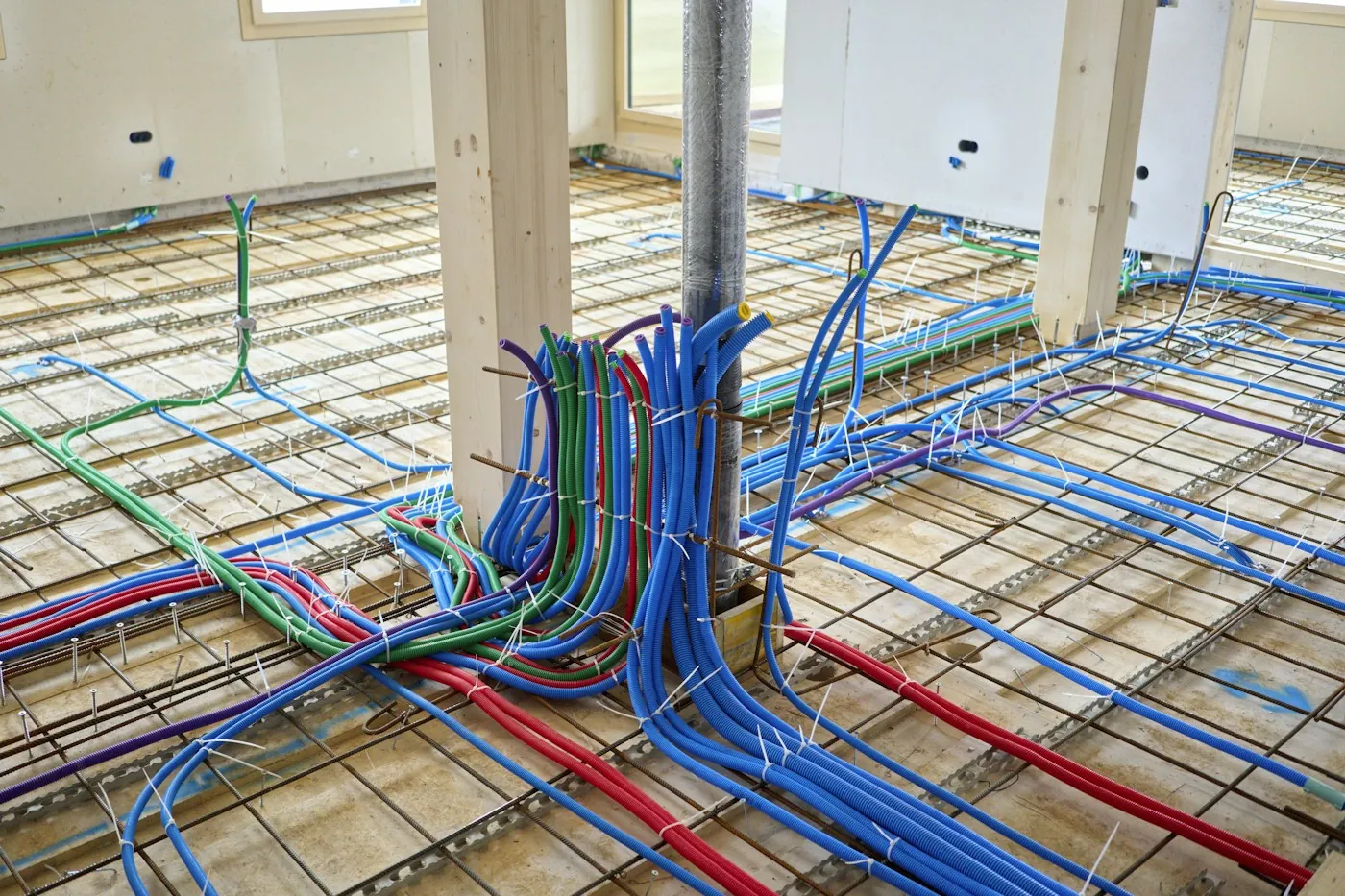
None of this locks you to a brand. A Cat 6A run works with any router or camera you pick later, which is the whole point of wiring first and choosing hardware second. Send us your unit's spec sheet and floor plan, and we will mark the runs to add before handover. Start on our contact page, or read how our home networking and structured cabling service plans these runs and the comms location together.
The comms room: the one decision that sets everything else
Pick one central place where every cable ends and your network gear lives. Give it power and airflow. Every other choice in this guide depends on getting that spot right.
This is your comms location, sometimes called an equipment rack. All the Cat 6A runs, the camera feeds, and any control wiring come back here and terminate on a patch panel. Your router, PoE switch, and any hub sit here too.
Scale it to the home. A ventilated wall enclosure is enough for most apartments. A villa wants a small cupboard with its own power circuit and real airflow. Place it near the centre of the plan, not in a far corner. Central means shorter cable runs and better Wi-Fi spread across the floors.
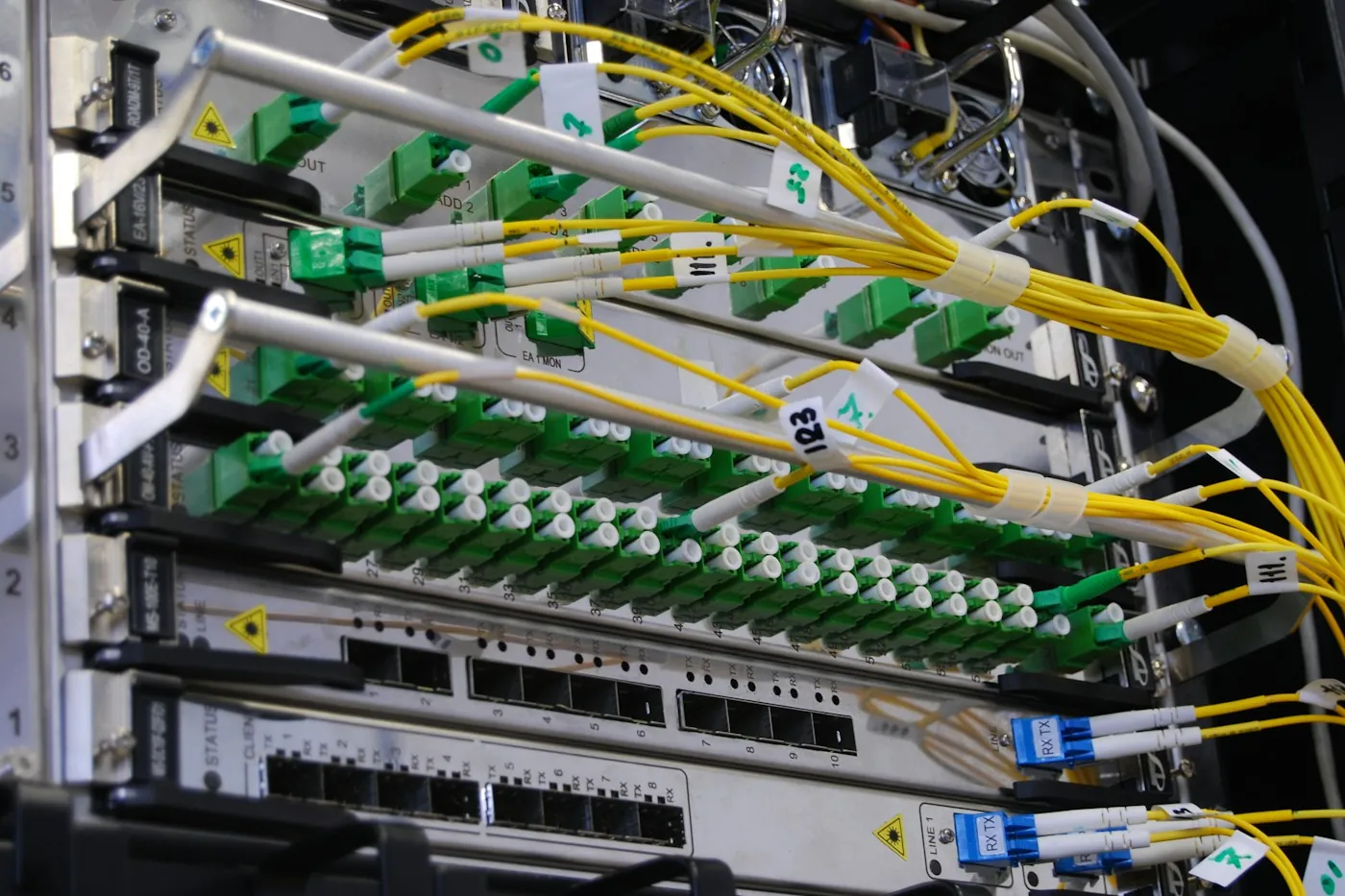
From our projects: heat is the quiet killer of a comms cupboard. Network gear runs warm, and a sealed cupboard in a Dubai villa bakes in summer. Plan a vent or a small fan before the joinery is fixed, not after the switch keeps dropping in July.
Get the location on the drawings early. Retrofitting it later means losing a cupboard you did not plan to give up, then re-running cable to reach it.
Lighting control wiring: what breaks if you skip it
Skip the lighting wiring and you lose real wall switches, smooth dimming, and one-touch scenes. You are left with app-only bulbs and a switch everyone keeps pressing by mistake.
Two things make wall-based control possible. The first is the neutral wire at every switch box, covered above, which lets a smart switch or keypad sit in the wall. The second is a circuit that can dim, so a lamp fades instead of clicking on at full brightness.
For a villa or a new build, a wired system is the strong choice. KNX is a wired standard that runs without the internet, with a lifespan past 30 years. Your switches and scenes keep working when the Wi-Fi drops.[6] It has to be wired in during first fix, which is exactly why it belongs on the pre-wire list.
Plan your keypad and touchscreen spots now too. Each one needs solid timber blocking behind the plasterboard, added at rough-in, so the finished wall can carry the weight. Miss it, and the mount ends up loose or impossible later.
For a villa or new build, our smart lighting and climate service maps the control circuits before the walls close. You get real keypads and scenes, not app-only bulbs.
Curtains and blinds: power at the window head
Run power to every window head you might one day motorise. At first fix it is a short cable in conduit. After the wall is finished, it means chasing plaster around a fitted curtain box.
Motorised blinds and curtains, from a brand like Somfy, need a small power feed at the top of the window. During rough-in this is cheap, a run of low-voltage cable in roughly 20mm conduit to each window head. You do not have to fit the motors now, only leave the power waiting.
This is one of the highest-value asks per dirham on the whole list. A finished curtain pelmet hides the exact wall you would need to open. Leave the power waiting at every window head now, and motorising later becomes a same-day job with no wall work.
Cameras, gates, and locks: pre-wiring security
Run a PoE cable to every camera, gate, and lock position before you choose a brand. The cable run is the expensive, hard-to-redo part. The hardware on the end of it swaps out in an afternoon.
A PoE Cat 6A run to a camera spot works with almost any camera you pick later. Plan the positions around Dubai's own rule. SIRA, the emirate's security regulator, sets 1080p HD as the minimum and requires 31 days of stored footage.[5] Wire enough camera points to cover that from the start.
Do the same at the boundary. Run power or PoE to the gate motor, the video intercom, and the front-door lock position. A hardwired lock or gate motor never needs a battery change, unlike a wireless one. Adding that power after the finishes are in means fresh chasing at the exact entry everyone sees.
Our security and surveillance service plans camera runs to the SIRA standard, and our smart gate and access control service covers the gate and intercom.
The AV wall and cinema room: cable before the wall closes
Cable your main TV wall and any planned cinema room before the walls close. Retrofitting an AV wall is one of the most disruptive jobs in a finished home.
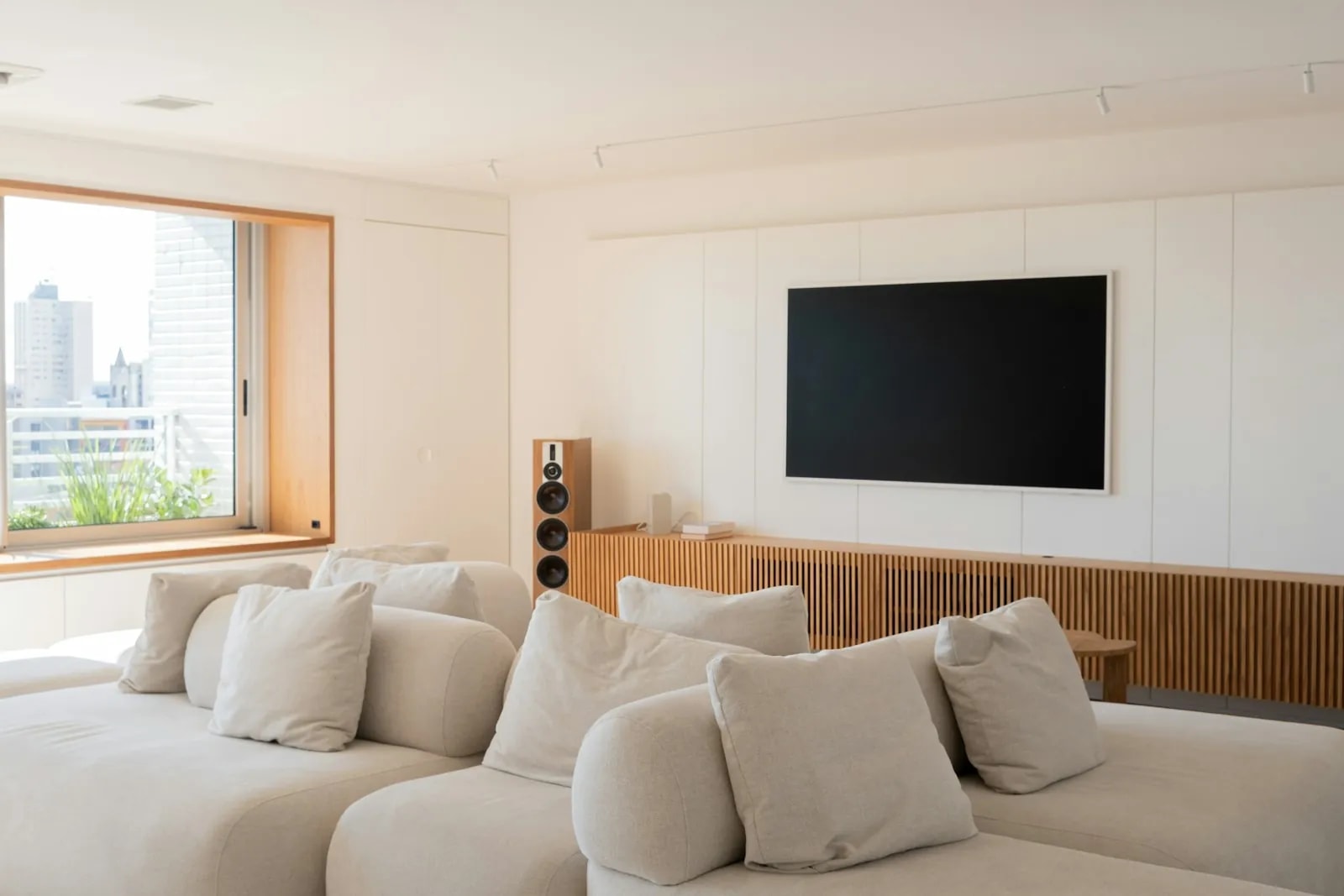
Two runs matter here. The first is conduit and data behind the TV or AV wall, so power, source cables, and network reach the screen without a trailing mess. The second is speaker cable to the ceilings and walls of your living areas, majlis, and any media room.
In-ceiling speakers are the clearest case for wiring early. Adding them to a finished, painted ceiling means cutting, pulling cable blind, and repainting. Run the speaker cable at first fix and the later fit-out stays clean.
Our home cinema service designs the speaker and screen layout so the cabling matches the room before the wall is built.
DEWA, Dubai Municipality, and TDRA: what is already fixed
By the time you get the keys, the base wiring is already designed, inspected, and signed off. Three bodies lock it in, which is why post-handover work is a retrofit against a certified building.
DEWA, the Dubai Electricity and Water Authority, sits at the start and the end. A DEWA-approved consultant gets design approval before any wiring goes in, and DEWA inspects the finished installation before the meter is activated.[1] The developer's contractor runs all of it. An off-plan buyer takes no part.
Dubai Municipality adds its own gate. Before a building gets its Completion Certificate, an MEP inspection checks the electrical, plumbing, and cooling systems. It confirms they were built to the approved drawings and the Dubai Building Code.[3] Once that certificate is issued, the wiring is fixed by law.
TDRA, the UAE telecom regulator, is the reason new buildings arrive data-ready. Its specifications manual for buildings, written with Etisalat by e& and du, sets the standard for in-building telecom.[4] So new Dubai buildings ship with fibre-ready pathways as a baseline. That smart-ready baseline traces to TDRA, Al Sa'fat green building rules, and Digital Dubai,[7] not to any single buyer request.
The takeaway is simple. You cannot change the base build, so spend your energy on the layer you can still shape. For the wider picture of how these pieces fit a Dubai smart home, see our complete smart home guide for Dubai.
Smart home snagging: your last real checkpoint
Snagging is your last chance to catch wiring gaps before the home is legally yours. Standard checklists miss the smart-home items, so you have to add them.
Snagging is the inspection you do before signing the handover certificate. Any defect you document stays the developer's job to fix. A normal checklist covers paint, tiles, door seals, AC performance, and whether sockets and switches work. It does not check spare conduit, spare data points, or a neutral at the switch.
So add three items to the list yourself:
- Confirm every conduit and data point promised on your spec sheet is physically there.
- Have an electrician open at least two switch boxes and check for a neutral wire.
- Ask the handover team for the as-built electrical drawings for your unit.
You can do this yourself or hire a professional snagging inspector, whose fee scales with the size of the property. Dubai Smart Home does not sell snagging, so plan it as a separate step. After snagging clears and the final payment lands, the developer converts your interim registration into a title deed.[2]
Missed the window? What to do right after handover
Book the work for the empty gap between handover and move-in. It is still a retrofit, not a pre-wire, but it is the cheapest and least disruptive retrofit you will ever get.
An empty, finished home is far easier to work in than a furnished one. Before your flooring, joinery, and furniture go in, cable can still run behind false ceilings and inside cabinetry you are fitting anyway. Prioritise the neutral wires at your switch positions, the comms location, and any run that hides behind your own fit-out.
Pre-wiring during construction costs 60 to 70 percent less than retrofitting a finished Dubai home. The gap is not the hardware. It is the cost of opening walls, patching, and repainting.[8]
Common mistake: moving the furniture in first, then calling an installer. Every cable now has to dodge a fitted kitchen and a painted wall. The month between keys and move-in is worth protecting for exactly this reason.
Once you are ready to wire, a fair itemised quote and a realistic timeline matter as much as the wiring plan. Our guide to home automation in Dubai before you buy covers what a quote should include. Our smart home cost guide for Dubai breaks the budget down by system. A well-designed wireless setup, using Zigbee or Matter, still covers most day-to-day control if some cable runs are truly out of reach.
If you are buying off-plan now, the cheapest move is to ask the right question this week. Book a free smart home automation consultation on our contact page, or message our team in Dubai, UAE on WhatsApp. Dubai Smart Home will map what your unit still allows before the walls close.