Lenovo

Lenovo C35 Indoor Pan-Tilt Wi-Fi Security Camera

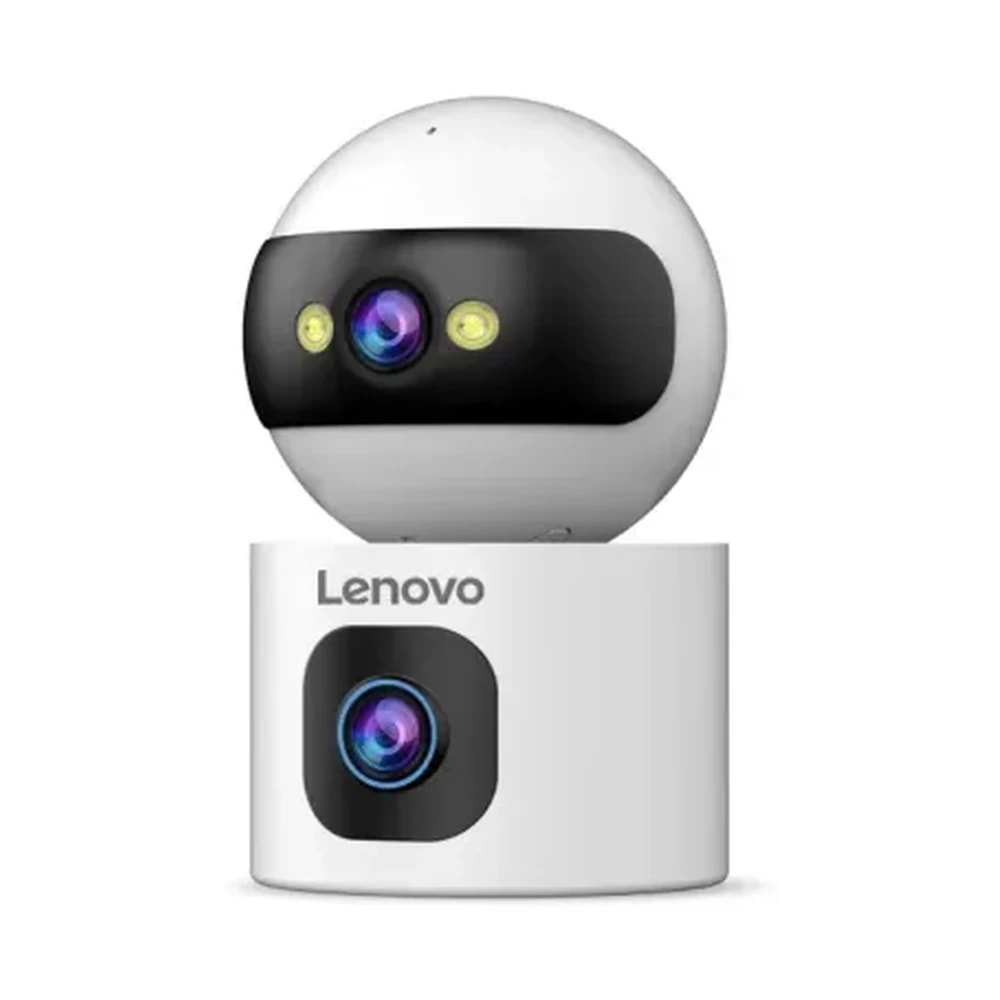
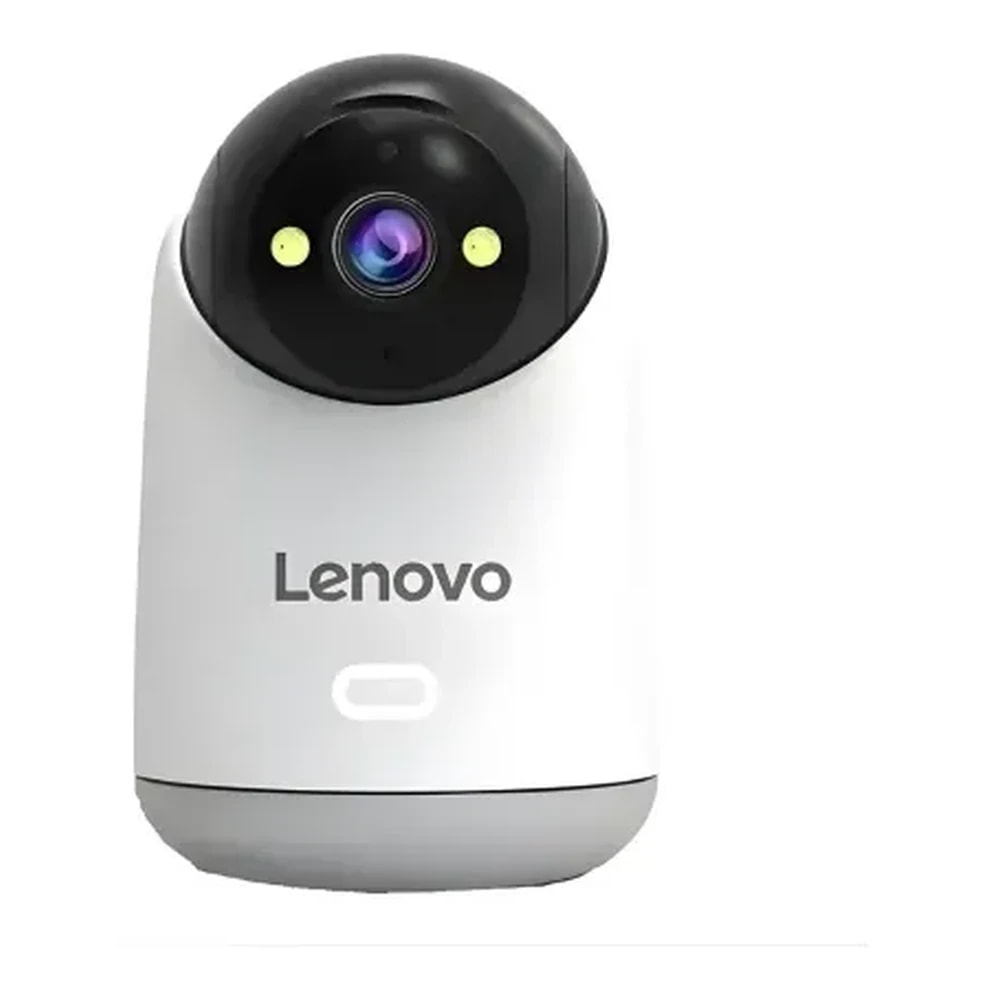
Lenovo C35 indoor pan-tilt Wi-Fi security camera (not the handheld digital camera) for Dubai nurseries, flats and family rooms, a simple single-lens choice.

Wi-FiBudget
Works with
Manufacturer appAmazon Alexa
Price on enquiry
Sourced to order. Ask us for today's price and lead time.
Enquire on WhatsApp
Enquire on WhatsApp

Fitted for you and configured by our Dubai team. We check compatibility with your property before you commit to anything.

Overview

What it is and where it fits

The Lenovo C35 is a straightforward indoor Wi-Fi security camera for keeping watch over one room in a Dubai home: a nursery, the living area of a flat, or an elderly parent's sitting room. It is a single-lens Wi-Fi camera that pans and tilts, and it has nothing to do with the Lenovo C35 handheld digital camera that shares its name. An overseas retailer lists this exact model, and its spec sheet is the source of the figures here. The head turns 355° and tilts 90°, the 3MP picture is saved in H.265, and infrared reaches about 10 metres in darkness, with colour night vision shown in the Lenovo catalogue. A microphone and 1 W speaker allow two-way talk, while motion or sound detection sends a phone alert and can sound an alarm. Footage goes to a microSD card of up to 256 GB, and one seller also mentions a cloud option. At 207 g it is light enough to move from shelf to shelf. You will need a power socket nearby and 2.4 GHz Wi-Fi in the room, with everything managed in the cam720 app. The key limit for Dubai is heat. Its operating range is 0 to 40°C, so it suits rooms that stay air conditioned, and it should not go in a garage, on a balcony or in a villa left shut without cooling over summer. Supply is patchy too: the one overseas retailer we found shows it out of stock, so lead times can run longer than for its siblings.

  • One turning lens covers a whole room with a 355° pan
  • Colour night vision for nurseries and dim rooms
  • Hear the room and talk back from your phone
  • Light at 207 g, so it moves easily from room to room
Technical

Specifications

Model C35

Product typeIndoor Wi-Fi security camera (not the C35 handheld digital camera)
Resolution3MP
Pan and tilt355° pan, 90° tilt, auto-tracking
Night visionColour night vision, infrared up to 10 m
AudioMicrophone and 1 W speaker for two-way talk
AlertsMotion and sound detection, push alerts, sound alarm
RecordingmicroSD card from 8 to 256 GB, H.265 video
Wi-Fi and app2.4 GHz Wi-Fi, cam720 app
Operating temperature and weight0 to 40°C operating, 207 g
In Dubai homes

What to check before you order

The C35 fits the way many Dubai families use an indoor camera: checking on a baby during a nap, seeing that an elderly parent is comfortable, or looking in on the cat while you travel. Its 0 to 40°C operating range is the number to respect. Indoors with the AC running, that is plenty. A villa closed up in July with the cooling off can pass 40°C inside, so unplug the camera or keep one room cooled if you leave for the summer. Its 2.4 GHz Wi-Fi carries further than a 5 GHz link, yet a nursery at the far end of a flat can still be a weak spot, so we test the signal there first. A DEWA cut switches it off unless it shares a small UPS with your router. If a nanny or maid looks after the children, tell them the camera is there and what it covers before it starts recording.

Lenovo in the UAE. Lenovo-branded smart locks and cameras are made by Yunka Intelligent (Shenzhen) under licence as part of Lenovo's smart-device ecosystem, rather than by Lenovo's computer business. Most of the locks run on the Tuya / Smart Life app, while the cameras use the cam720 app. UAE availability is patchy: a few models are stocked by specialist smart-lock retailers and many are sourced to order, so we confirm the exact model, lock body and lead time before quoting.

Answers

Questions about the Lenovo C35 Indoor Pan-Tilt Wi-Fi Security Camera

Is the Lenovo C35 security camera the same as the Lenovo C35 digital camera?
Chevron down icon
This Lenovo C35 is an indoor Wi-Fi security camera that pans and tilts, part of Lenovo's smart home range. It is unrelated to the Lenovo C35 handheld digital camera sold for photos and vlogging. Check the listing title and photo when comparing prices online, because searches often mix the two up.
Contact us
Contact us
What does the Lenovo C35 security camera do?
Chevron down icon
It is a compact, single-lens indoor camera with a 3MP picture and a head that pans 355° and tilts 90° to follow movement. It connects over 2.4 GHz Wi-Fi, records to a microSD card, and lets you watch, listen and talk through the cam720 app on your phone.
Contact us
Contact us
How much is the Lenovo C35 security camera in Dubai, and where can I buy it?
Chevron down icon
No mainstream UAE shop lists the C35, so we quote it on enquiry. Like its Lenovo siblings, it is brought in to order; ask us for today's price and lead time. Stock is thin even overseas, so we check availability with the supplier before we confirm a delivery date.
Contact us
Contact us
Where does the C35 work best?
Chevron down icon
It works best on a shelf, dresser or bookcase in the one room you want to watch, such as a nursery, a living room or a parent's sitting area. It needs a socket nearby and a clear view across the room. Keep it away from windows that catch the afternoon sun.
Contact us
Contact us
Is the C35 a good choice for an apartment?
Chevron down icon
Yes, it is well suited to apartments, where one camera can cover the main living space or a child's room. In a villa it handles a single room well, but larger spaces may need the dual-lens XW1-U or more than one camera. It is not for outdoor use in either.
Contact us
Contact us
Can I use the C35 in a rented home?
Chevron down icon
Yes. It stands on furniture and plugs into a wall socket, so nothing in the property is altered. Point it only at your own rooms. Filming a shared corridor, a neighbour's door or a building lobby is not acceptable in any tenancy and quickly leads to complaints.
Contact us
Contact us
How do I check the C35 from my phone?
Chevron down icon
Install the cam720 app on iPhone or Android and add the camera to your 2.4 GHz Wi-Fi. After that you can watch live from anywhere, steer the lens, hear the room, speak through the speaker, get motion and sound alerts, and play back recordings from the microSD card.
Contact us
Contact us
Does the Lenovo C35 security camera work with Alexa or Google Home?
Chevron down icon
Alexa works through the Cam720 Smart Home skill, which comes from the same publisher as the app. Google's assistant and Apple's Home app are missing from every listing we found. During setup we link the skill to your Amazon account and check what it offers with this camera.
Contact us
Contact us
Does the C35 have a battery for power cuts?
Chevron down icon
No battery is listed, so the C35 stops during a DEWA power cut and comes back when supply returns. For a nursery camera that must stay on, plug it and the router into a small UPS. That keeps both running through short outages, so the alerts and recording carry on.
Contact us
Contact us
Can the Lenovo C35 security camera handle Dubai summer heat?
Chevron down icon
The C35 is rated to work between 0 and 40°C, according to the overseas spec sheet. That is fine in air-conditioned rooms but too low for garages, balconies, storerooms without cooling, or a villa shut up for summer with the AC off. Switched off and stored, it is rated up to 60°C.
Contact us
Contact us
Does the Lenovo C35 security camera have colour night vision?
Chevron down icon
Yes, the Lenovo catalogue lists colour night vision for the C35, and the overseas listing gives an infrared range of about 10 metres for full darkness. A small night light in a nursery gives colour mode something to work with, so you can see a face or blanket more clearly.
Contact us
Contact us
Can grandparents and my spouse watch the C35 too?
Chevron down icon
Yes. Multi-user access is listed in the Lenovo catalogue, so you can share the camera from the cam720 app with your spouse, the grandparents or older children. Each person uses their own phone. No user limit is published, and we confirm it when setting up the sharing.
Contact us
Contact us
Should a nanny or maid know about the C35?
Chevron down icon
Yes, always tell your nanny or maid that the camera is there, which room it covers and when it records. Hidden cameras aimed at staff damage trust quickly. Keep the C35 out of staff bedrooms and bathrooms, and use it for the children's rooms and shared living areas only.
Contact us
Contact us
Is the C35 secure?
Chevron down icon
The C35 gives you warnings rather than physical protection: motion and sound alerts, an alarm sound and recordings kept on its card. Use a unique password for the cam720 account and never hand out the login; give people their own access through multi-user sharing instead. A guest network for smart devices helps too.
Contact us
Contact us
How does the C35 store video?
Chevron down icon
It saves H.265 video to a microSD card of 8 to 256 GB. One seller also mentions cloud storage as an alternative, and we check what the cam720 app offers on your account at setup. Choose the card size by how many days of footage you want to keep before it is overwritten.
Contact us
Contact us
Can I talk to my child through the C35?
Chevron down icon
Yes. A microphone and 1 W speaker let you hear the room and speak back from the app, which helps when reassuring a child who has woken or reminding an older one to start homework. Sound detection can also alert you when a baby starts crying.
Contact us
Contact us
Can I move the C35 between rooms?
Chevron down icon
Yes. At 207 g it is light and stands on any flat surface, so it can sit in the nursery at night and the living room by day. As long as the new spot has a socket and good Wi-Fi coverage, it carries on as before.
Contact us
Contact us
How long does C35 setup take, and what do you check first?
Chevron down icon
Setup is short, because the camera only needs a socket and a shelf. We check the Wi-Fi strength in that room, the 2.4 GHz network on your router, the view from the chosen spot and that nothing private sits in frame. Then we add family users, alerts and the microSD card.
Contact us
Contact us
What warranty does the C35 have in the UAE?
Chevron down icon
The warranty is set by the supplier and confirmed in writing when you order. After setup, we are your first point of contact for app, Wi-Fi and alert questions, and if the camera itself fails, we take it up with the supplier for you.
Contact us
Contact us
Who manufactures the Lenovo C35 security camera?
Chevron down icon
Yunka Intelligent (Shenzhen) makes it under a licence to use the Lenovo brand, so it is a licensed product rather than one built by Lenovo. Supply, warranty cover and replacement stock all come through the maker, and we check them before quoting.
Contact us
Contact us
Lenovo C35 vs XW1-U: which indoor camera should I buy?
Chevron down icon
Buy the XW1-U if you have a large room and want one lens fixed on a door while a second follows movement. Buy the C35 for a single room where one turning lens is enough, especially if you want colour night vision and a smaller camera that is easy to move.
Contact us
Contact us
Who should not buy the C35?
Chevron down icon
Skip the C35 if the room gets hot, if you need outdoor coverage, or if you want Google Home or Apple Home. It is also a poor fit if you need a camera this week, because stock is limited even overseas. Anyone watching two areas of a big room at once should look at the XW1-U.
Contact us
Contact us
How do I care for the C35?
Chevron down icon
Dust the dark lens dome with a dry microfibre cloth every week or two, and never spray cleaner onto it. Leave space around the head so it can turn freely, since books or toys in the way stop it panning. Check playback monthly to make sure the card is still recording.
Contact us
Contact us
Can I use the Lenovo C35 security camera as a baby monitor?
Chevron down icon
Yes, checking on a baby during a nap is one of the main ways Dubai families use it. Colour night vision and infrared to about 10 metres show a cot in a dim nursery, sound detection can alert you when a baby starts crying, and the microphone and 1 W speaker let you hear the room and speak back. A small UPS keeps it running through a DEWA cut.
Contact us
Contact us
Does the Lenovo C35 security camera need 2.4 GHz Wi-Fi?
Chevron down icon
Yes. The Lenovo C35 connects over 2.4 GHz Wi-Fi, which carries further through walls than a 5 GHz link, and most Dubai routers broadcast both bands. Even so, a nursery at the far end of a flat can be a weak spot, so we test the signal there and check the 2.4 GHz network on your router before setup.
Contact us
Contact us
Installation

Fitted properly, set up by our Dubai team

This comes as part of a working system rather than as a box. That means checking it suits your property first, having it fitted properly, setting up the automations that make it useful, and showing your household how it works.

See Security & Surveillance
Chat Now