Most smart doorbell guides are written for a house with a porch and a wooden front door. A Dubai apartment is a different problem. Your door opens onto a hallway that belongs to the whole building, and the tower already has an intercom wired into every unit.
This guide covers one device in one place: a video doorbell at your own apartment door. It is not a general renter device list. Our guide to smart home devices in a rented Dubai apartment covers that. It is not a camera buying guide either, and best security cameras in Dubai covers that. It is not the SIRA rulebook, and SIRA CCTV requirements covers that.
Real talk: the device is the easy part. Every doorbell in our catalogue works. What people get wrong is asking only the landlord, when the hallway is not the landlord's to give away.
What makes a smart doorbell in a Dubai apartment different?
A smart doorbell at an apartment door points at shared space that the whole building has a right to use. A villa doorbell only sees your own driveway or gate.
That single difference changes the order of the questions. In a villa, you pick a device, then mount it. In a Marina or Business Bay tower, you settle two things first, and only then shop.
- Question one: is the hallway outside your door yours to point a camera into? The short answer is no, and the law is specific about why.
- Question two: what does your building's existing intercom already do, and can a new doorbell take its place? It cannot, and that is fine once you know what each one is for.
Everything else, battery or wired, adhesive or bracket, AED 199 or AED 690, sits downstream of those two answers.
Who actually owns the hallway outside your apartment door?
The hallway outside your apartment door belongs to the building collectively, not to you or your landlord. Under Dubai's Law No. 6 of 2019 on jointly owned property, Article 7(a) lists what counts as a Common Part, and the list includes thresholds, halls, entrances and emergency exits[1].
The passage outside your front door is a hall in the law's own wording. The same article adds a catch-all. Any part outside the boundaries of a Unit that the building needs to exist, stay safe or keep running is a Common Part too[1].
So the shared floor, the shared walls and the shared ceiling outside your door are not inside your Unit. They belong to the owners together, and they are managed by the building's Management Entity under its own Building Management Regulation.
That obligation reaches tenants too, not only owners. Article 16 puts both owners and occupants under a duty to follow the building's rules, the community declaration and the management regulation[1]. Renting does not put you outside the building's rulebook.
Common mistake: treating the landlord as the only person to ask. Your landlord owns a Unit. The hallway is not part of it.
| What you want to touch | Whose call it is | Why |
|---|---|---|
| Inside your apartment: a chime, a monitor, an app on your own wall | Yours | It sits inside the boundary of your Unit |
| The inside face of your own front door | Yours, but renters should read the lease first | Inside the Unit boundary, though a lease can still restrict fixtures |
| The outside face of your door, or the door frame | Landlord, plus building management if the camera sees the hall | The frame sits at the edge of the Unit and the view reaches shared space |
| The hallway wall, ceiling or floor outside your door | The building's Management Entity | A Common Part under Article 7 of Law No. 6 of 2019 |
| The lobby intercom panel and the wiring behind it | The building, never a single resident | Shared wiring serving more than one Unit is a Common Part under Article 7(a)(6) |
The fuller version of this ownership line, across facades, risers and shared plant, sits in our guide to smart homes in Downtown Dubai apartments.
What does that actually mean for a doorbell camera?
A doorbell camera at an apartment door needs two approvals, not one, and they cover different things. Your landlord's consent covers the device touching their property. Your building's rules cover what happens in the hallway itself.
A doorbell that only sees your own threshold is a small ask. A wide view that sweeps the hall, the lift lobby and your neighbour's door is a different conversation. That view records a shared space full of people who never agreed to it.
Law No. 6 of 2019 also bars residents from altering Common Facilities or restricting their use on their own[1]. That clause is written for real building work, not a doorbell. The practical point stands anyway: shared parts are not one resident's to change alone.
What to do instead of guessing. Ask your building's management office, in writing, whether they have a rule on cameras facing the corridor. Some buildings have a written policy. Some have never been asked. Either way, an email you can point to later is worth ten minutes now.
No Dubai-wide rule says yes or no for every tower, because that decision sits with each building's own Management Entity. Anyone who tells you otherwise is guessing.
Is it legal to record your neighbours walking past your door?
Recording identifiable people in a shared space without a lawful basis is not just bad manners in the UAE. It carries real legal weight, so this is worth settling before you mount anything.
UAE PDPL, Federal Decree-Law 45 of 2021, has been in force since 2 January 2022[2]. It treats a person's image as personal data, and consent sits at the centre of it. UAE cybercrime law, Federal Decree-Law 34 of 2021, separately addresses photographing or recording people without their consent, with criminal exposure attached.
Now apply that to a hallway. Your neighbours use it. So do their guests, delivery riders, cleaners and building staff. None of them agreed to be filmed, and none of them can avoid the hall, because it is the only way to their own front door.
The fix most people skip. Almost every current video doorbell lets you crop the view or draw a privacy zone in the app. Set it so the camera sees your own threshold and the person standing at your door, not the length of the corridor.
Three habits keep this straightforward:
- Narrow the view on day one. Do it during setup, not after a neighbour asks about it.
- Keep the footage to yourself. Do not post hallway clips of identifiable people in a building group chat.
- Ask before you mount. If the building has published no rule, put the question to management in writing rather than assuming either answer.
For the wider picture of what your devices collect and where it goes, read our guide to smart home privacy in Dubai. If you rent, your landlord has their own position on cameras and fixtures, covered in smart homes from the landlord's side.
Does SIRA require your doorbell camera to be a certain resolution?
No. There is no legal minimum resolution for a camera at a private home in Dubai, and the claim that SIRA requires 4K is false.
SIRA is Dubai's security regulator. Its Administrative Resolution No. 13 of 2025 sets a 1080p Full HD minimum and 31 days of retention[3]. Those numbers govern licensed security companies and the commercial premises SIRA regulates, not the inside of your flat.
SIRA also runs no registration or approval service for a homeowner's own camera[4]. You are not filing paperwork for a doorbell.
Treat 1080p as a sensible floor for readable video, not as a rule you are breaking if you go under it. The full legal history, licensing mechanics and the rules for regulated buildings are in our SIRA CCTV requirements guide.
Does your building already have an intercom, and can you replace it?
Almost every Dubai apartment tower already has an intercom, and no, you cannot replace it. The typical setup is a lobby or gate panel wired back to a handset or monitor inside every unit. In mid and high-end buildings it is usually tied to the concierge desk as well.
That system is not yours. The panel, the gate hardware and the cabling behind them serve every unit in the building, and Article 7(a)(6) of Law No. 6 of 2019 lists wiring that serves the owners of more than one Unit as a Common Part[1]. A single resident has no route to swap out shared infrastructure.
These systems are also usually built on a closed backbone from one manufacturer, installed by the developer or the building's own contractor. Even where the law allowed it, the hardware would not accept a consumer doorbell in place of the lobby panel.
What you can add. Some manufacturers sell a companion accessory that mounts beside your existing intercom handset and forwards the building's buzzer to your phone. It leaves the building's own wiring alone.
Be clear on what that accessory is. It extends the building's buzzer to your phone. It does not put a camera at your own front door, and it does not integrate a video doorbell with the building's intercom hardware. Those two systems stay separate.
A professionally installed video intercom at a villa gate is a different job again. That sits with our smart gate and access control work, not with anything a tower resident can do alone.
So what does a doorbell add if the intercom is already there?
A doorbell adds the one thing the lobby intercom cannot do: it tells you who is standing at your own door. The two answer different questions about different places.
Think about how people actually reach your flat. A delivery rider is buzzed in by another resident or walks through an open lobby. A friend visiting a neighbour takes the wrong turn. A building technician comes up on a scheduled round. None of them press the lobby panel for your unit, so your intercom stays silent while someone stands at your door.
| Question | Building intercom | Apartment doorbell |
|---|---|---|
| Who controls it? | The building's Management Entity | You, it is your own device |
| What does it see? | The lobby door or the gate | Your own threshold, up on your own floor |
| Can you replace it? | No, it is shared infrastructure | Yes, you bought it and you can remove it |
| What does it tell you? | Someone downstairs wants to be let in | Someone is standing at your door right now |
| Does it work when you are away? | Usually not, the handset rings in an empty flat | Yes, it sends the alert to your phone |
Keep the two layers separate in your head and neither one disappoints you. The intercom controls the front door of the building. The doorbell watches the front door of your home. Our security and surveillance installs treat them as separate layers for the same reason.
Should you choose a battery or wired doorbell for a rented apartment?
A battery doorbell is the default for a renter. No wiring, no electrician, no landlord conversation about a new circuit, and the whole thing comes off the door when you move out.
A wired doorbell only makes sense if your flat already has a working bell button and chime you can reuse. Some Dubai apartments come with one as part of the developer's fit-out. Plenty do not, and it varies by building and by year, so check your own door before you plan around it.
Here is what the two paths really trade against each other:
- Battery: mounts in twenty minutes, leaves nothing behind, and needs recharging every few weeks or months depending on how busy your door is.
- Wired, reusing an existing circuit: always powered, nothing to recharge, but only possible if a live bell circuit is already there.
- Wired, new circuit: an electrician, the landlord's written permission, and possibly a building notification if any shared conduit is touched. That is outside the renter-friendly path.
There is a third option people forget. If your flat has a working wired button and chime you like, leave it alone and add a battery doorbell next to it. The old bell keeps working for anyone who prefers it, and your phone gets the alert either way.
A smart lock at the same door is the natural companion device, and we cover the door-fit question separately in our guide to smart locks in Dubai.
Will a battery doorbell survive a Dubai summer at your door?
A battery doorbell survives a Dubai summer if you mount it out of direct sun. The specs are tighter than most people expect, and Dubai sits right at the edge of them rather than comfortably inside.
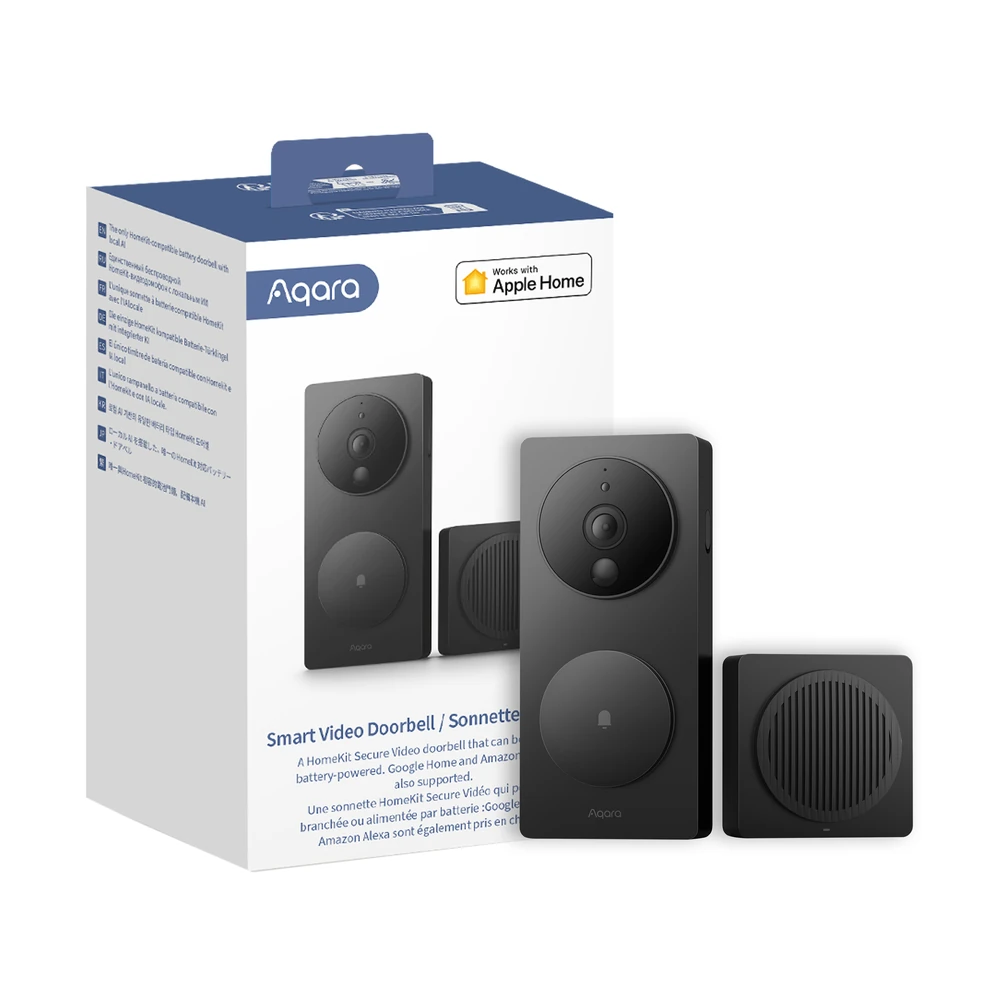
Ring's own support documentation puts its devices at an operating range of -20°C to 50°C[5]. eufy's Video Doorbell C30 is rated the same, -20°C to 50°C, with an IP65 weather rating[6]. Aqara's G4 spec sheet lists -18°C to 50°C[7].
Fifty degrees is the air temperature ceiling, and a dark plastic housing in direct sun runs hotter than the air around it. That is why the mounting spot matters more here than in a milder climate.
What happens if it does overheat. Ring documents a Device Cooldown mode: the doorbell limits features and drops video quality first, then shuts itself off if the temperature keeps climbing[5]. That is protection, not a fault, but a badly placed unit can go quiet on the worst afternoons.
Most apartment doors are indoors in an air-conditioned corridor, which makes this a non-issue. The risk is real for ground-floor units, podium levels and any door that opens onto an open-air walkway with afternoon sun on it. If that is your door, pick the shaded side of the frame.
For a wider hardware comparison across brands and mounting positions, our guide to the best security cameras in Dubai goes brand by brand.
How do you mount a doorbell without damaging a rented door?
Use the adhesive plate that ships in the box, on the door frame or the door face, and skip the screws. That is the whole answer for most renters, and it comes off clean with a little heat and patience.
A screw-in bracket is more secure and survives a knock better, but it leaves small holes in the frame. Reversible is not the same as damage-free, so mention it to your landlord before you drill rather than after.
| Method | Damage risk | Handles Dubai heat? | Permission needed | When it fails |
|---|---|---|---|---|
| Battery, adhesive plate | None, residue cleans off | Yes in a cooled corridor. eufy C30 is rated to 50°C and IP65 | Building management if the view reaches the hall, plus the landlord for the door itself | Runs flat and comes off to recharge over USB-C |
| Battery, screw bracket | Small holes in the door frame, reversible but visible | Same ratings apply. Ring and Aqara both stop at 50°C | Tell the landlord in writing before drilling a shared frame | Same recharge cycle, plus holes to fill when you move |
| Wired, reusing an existing bell circuit | None if a live circuit is already there | Always powered, but the camera keeps the same temperature ceiling | Same hallway question as any other doorbell | Not possible at all if the flat has no working bell circuit |
| Wired, new circuit run in | Real, an electrician has to run or alter wiring | Not the renter path, so heat is the smaller worry | Landlord in writing, plus the building if shared conduit is touched | This is the point where you have left the no-damage path |
| Over-the-door or peephole viewer | None in most designs, nothing is fixed to the door face | Not independently verified for this category, treat it as untested here | Lower friction, since little or nothing shows from the hallway side | A thin category with few tested options, so shop carefully |
If your building forbids any exterior-facing device at all, the peephole and over-the-door category is the one worth researching, because the hardware sits on your side of the door.
What if there is no Wi-Fi signal at your front door?
If Wi-Fi is weak at your front door, move the signal, not the doorbell. The door is usually the weakest spot in a Dubai flat. The router sits by the TV or in a study, and the reinforced concrete between rooms eats 2.4GHz.
Every doorbell in our catalogue runs on 2.4GHz Wi-Fi, which travels through walls better than 5GHz but still gives up against concrete. Ring, eufy and Aqara all confirm 2.4GHz only on their own spec pages[6][7].
Three fixes, cheapest first:
- Move the router. Free, and often enough on its own in a one or two bedroom flat.
- Add a mesh node near the entryway. One extra unit in the hallway side of the flat usually settles it.
- Pick a doorbell that ships with its own repeater. The Aqara G4 includes one in the box[7], which saves buying mesh hardware for a single device.
Weak Wi-Fi shows up as late notifications and clips that never load, so people blame the doorbell when the network is the problem. Our guide to Wi-Fi problems in Dubai homes covers the pattern, and our home networking work fixes it properly in larger flats.
On power: battery models come off the wall to charge over USB-C every few weeks or months, and the Aqara G4 can run on replaceable AA cells instead[7]. A wired doorbell skips that cycle entirely. That is the honest trade for the convenience of no wiring.
Mainstream Wi-Fi video doorbells sold through UAE retail sit under the TDRA's type-approval regime for radio equipment, and the regulator publishes its approved equipment directory publicly[8]. Buying from a normal UAE seller means this is not something you have to check yourself.
What does a video doorbell actually cost in Dubai?
A video doorbell in Dubai costs between AED 199 and AED 690 for the device itself. Those are the seven video doorbells in our own product catalogue, priced as of 2026[9].
These are device-only prices, not installed prices. They cover the doorbell in the box. Fitting, wiring, network work or a professional setup are separate, and a battery model you stick on yourself needs none of them.
- eufy Video Doorbell C30, 2K battery: AED 199. Wire-free, IP65, rated to 50°C, the cheapest sensible entry point.
- Ring Video Doorbell Wired, HD: AED 249. Only for a flat that already has a working bell circuit or a plug-in adapter.
- EZVIZ DB2C WireFree, 1080p: AED 250. Battery, and it includes a plug-in chime so you hear it indoors.
- Ring Battery Video Doorbell 2024, HD: AED 399. Wire-free, with Ring's own documented heat protection behaviour.
- TP-Link Tapo D225, 2K QHD: AED 467.05. Runs on battery or existing bell wiring, so it fits either scenario.
- SwitchBot Video Doorbell: AED 510. Battery, and it ships with its own indoor monitor.
- Aqara Smart Video Doorbell G4: AED 690. Battery or wired, native to Apple Home, and it includes a signal repeater.
Quick math: a battery doorbell at AED 199 to 399, stuck on with the supplied adhesive plate, is the entire spend for most renters. Compare that with a full apartment automation package at AED 8,000 to 15,000 and the doorbell is a rounding error you can take with you.
Want a fixed number for a professionally installed doorbell tied into cameras and locks? Book a free site visit and quote →
What should you check before you buy a smart doorbell?
Check the door, the lease and the building, in that order, and all three checks are free. Do them before the box arrives, not after.
- Look at your own door. Is there a working bell button and chime already? If yes, a wired model is on the table. If no, you are buying a battery unit.
- Read the lease. Find the clause on alterations and fixtures. Some Dubai leases ask for written landlord consent for anything on the exterior face of the door. Some say nothing at all.
- Email the building. Ask the Management Entity whether there is a written rule on cameras that face the corridor. Keep the reply.
If the third answer comes back unclear, or never arrives, take the safe default. That is a battery model on an adhesive mount, cropped in the app to your own threshold. Nothing drilled, nothing shared recorded, nothing to argue about.
Two more checks save a return trip. Confirm your phone and the doorbell agree on 2.4GHz Wi-Fi. Then check whether the model stores clips on a local SD card or only in the cloud, because local storage keeps footage off a third-party server.
Common mistakes renters make with an apartment doorbell
Five mistakes come up again and again, and each one takes two minutes to avoid.
- Leaving the field of view wide open. Out of the box, the camera sees the whole hallway. Crop it to your own threshold during setup.
- Assuming the landlord's yes covers everything. It covers the door. The hallway is a Common Part, and the building decides what happens there.
- Mounting it in direct sun. On an open walkway, the shaded side of the frame is the difference between a working camera and one that shuts itself off in August.
- Believing SIRA sets a home resolution rule. It does not. The 1080p and 31-day figures are a commercial baseline[3].
- Expecting it to replace the intercom. It cannot, and it was never meant to. Different door, different job.
A sixth one is quieter: buying the cheapest unit for a door with no Wi-Fi, then blaming the doorbell. Test the signal at the door with your phone before you choose.
How Dubai Smart Home helps with an apartment doorbell
For most renters, honestly, you do not need us for this. A battery doorbell from our catalogue at AED 199 to 690 goes up in twenty minutes with the adhesive plate in the box. We would rather tell you that than sell you an install you do not need.
Where we add something is the layer above a single device. Wired doorbells tied into cameras and recording. Smart locks and access at the same door. Network work when the signal will not reach. The paperwork conversation with a building that wants a proper specification first. That sits inside our security and surveillance work.
Dubai Smart Home has installed and supported home automation across Dubai since 2016, from Marina apartments to Emirates Hills villas, rated 4.9/5 by Dubai homeowners. Our engineers are in-house and we do not subcontract.
Want the doorbell to be part of a wider system rather than a standalone gadget? Talk to an engineer about your building → Or message us on WhatsApp. For the wider picture, start with our complete smart home guide for Dubai, or read more about Dubai Smart Home.