Most smart home mistakes in Dubai cost nothing to avoid. They are sequencing errors, not spending errors. You buy in the wrong order, or buy a device never built for a 45C summer, and the money is gone before the first automation runs.
We have installed and supported smart systems across Dubai since 2016, from Emirates Hills villas to Business Bay apartments. The same twelve home automation mistakes come up again and again, and half are Dubai-specific traps a US or UK buying guide would never warn you about. For the full build order, start with our complete smart home guide for Dubai. This page is what goes wrong.
What are the most common smart home mistakes in Dubai?
The most common smart home mistake in Dubai is buying devices before choosing one ecosystem, which ends with 5 to 10 separate apps on your phone. After that come an ignored Wi-Fi foundation, region-locked hardware that cannot pair here, and the wrong AC device on the wrong cooling system. Here are all twelve, in the order a beginner hits them.
Renters should look hard at mistakes 1, 2, 3, and 8. Villa owners should read 9 first, because it is the only one you cannot undo cheaply.
| The mistake | The fix | Read more |
|---|---|---|
| 1. Buying before picking an ecosystem | Choose one ecosystem before you buy | Voice platforms compared |
| 2. Ignoring the Wi-Fi and network foundation | Fix coverage before the second device | Home networking and IT |
| 3. Region-locked or uncertified hardware | Buy anything with a radio from UAE retail | Protocols and frequencies |
| 4. Automating the AC the wrong way | Diagnose the AC type, then match the device | How to automate your AC |
| 5. Skipping the heat rating outdoors | 60 to 70C operating temperature, IP65 or better | Dubai buyer's guide |
| 6. Believing the SIRA myths | Buy 1080p HD. No 4K mandate, no home permit | SIRA CCTV requirements |
| 7. Skipping the security basics | Change default passwords, add 2FA, split the network | Securing a smart home |
| 8. Drilling in a rented apartment | Buy reversible devices, ask before you drill | Renting and automating |
| 9. Not pre-wiring during villa construction | Cat 6A, conduit, and window-head power before walls close | Villa owner roadmap |
| 10. Buying gimmicks before the basics | Buy in payback order: climate and lighting first | Cutting your DEWA bill |
| 11. Relying on cloud-only control | Keep locks, gates, lighting, and AC local | Systems explained |
| 12. No after-sales or support plan | Ask the 9pm Friday question, in writing | What a smart home costs |
Mistake 1: Buying devices before you pick one ecosystem
The mistake: you buy an Echo this month, a Google Nest camera next month, then a lock that only works with Apple Home. No ecosystem decision was made, so nothing felt wrong until the fourth app landed on your phone.
Why it hurts: buying brand by brand commonly ends with 5 to 10 separate apps. Our customers name this one first: "I need 7 apps to control my house." One app does the lights, another the AC, a third the gate. Nothing talks to anything else, so no real automation is possible, and the people you live with go back to the wall switch.
The fix: pick one ecosystem before you buy past a single test device: Amazon Alexa, Google Home, Apple Home, or a professional system such as Control4, Crestron, Savant, or KNX. KNX is a wired system that runs without the internet and lasts 30 years or more, which is why villas land there.
Matter is a shared standard from 2022 that lets one device work with Apple, Google, and Amazon together. The badge gets printed loosely, so verify a device on the Connectivity Standards Alliance's compliance ledger before you plan around it[7].
Our smart home buyer's guide for Dubai covers the buying order, and Alexa vs Google Home vs Apple Home in Dubai compares the three. Want English and Arabic voice? That belongs in our voice control and AI scope from day one, not later.
Mistake 2: Ignoring the Wi-Fi and network foundation
The mistake: you buy a dozen smart devices before checking that your Wi-Fi reaches every room. The router sits where the developer left it, and you assume that settles it.
Why it hurts: devices drop, lag, or refuse to pair, and it looks like faulty hardware. It is a network problem wearing a device costume. Dubai builds in reinforced concrete, so signal fades between rooms far more than global guides assume. In a tower in Dubai Marina, JLT, or Business Bay, you also share the 2.4 GHz band with dozens of neighbouring networks.
The Dubai catch: most buying guides online were written for a timber house in Texas. That advice does not survive a 200mm concrete wall or 40 networks fighting over one channel.
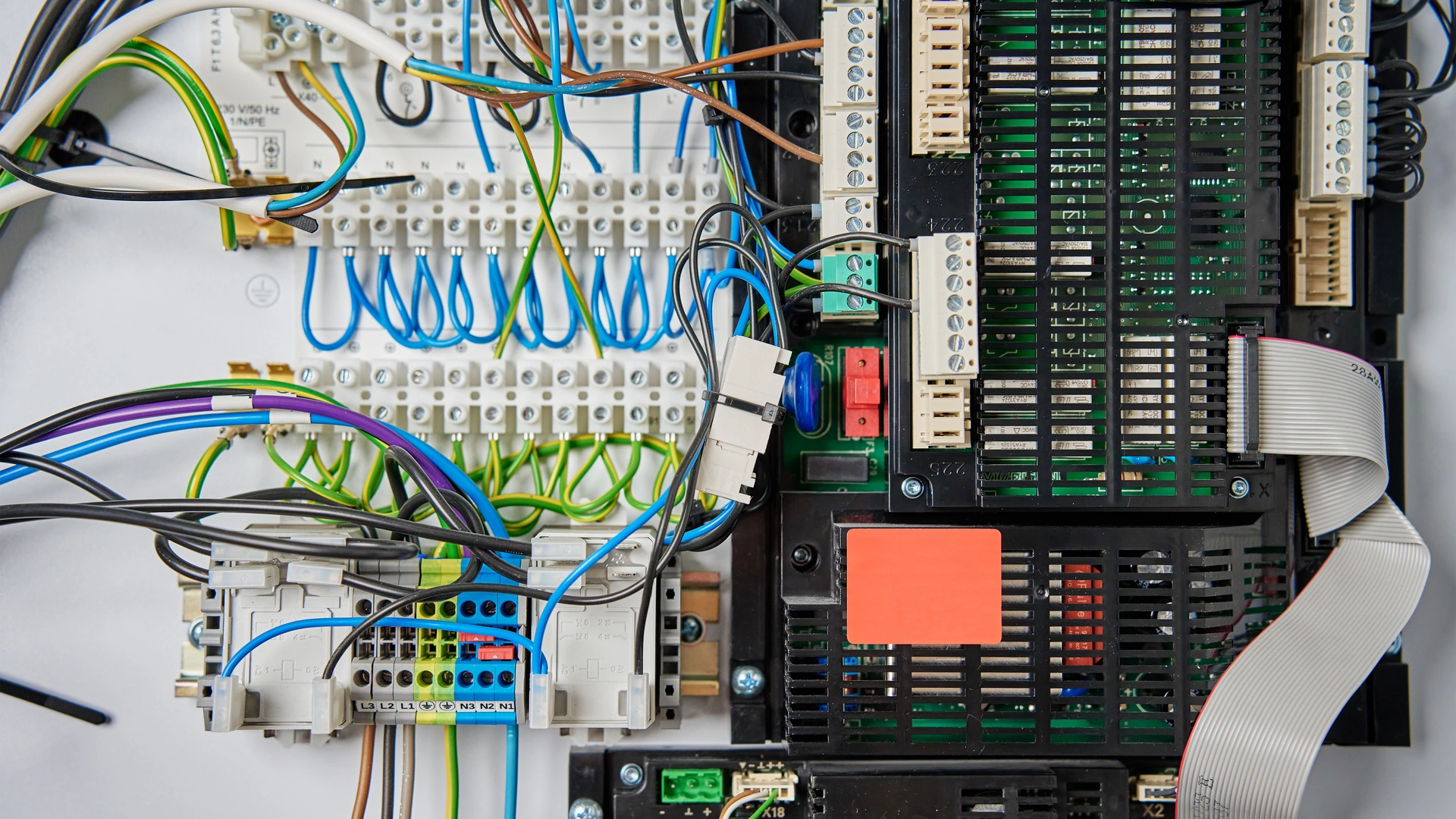
The fix: sort coverage before the second device. In an apartment, mesh nodes run about AED 300 to 500 each, or AED 600 to 700 for a small system, and Wi-Fi 6E or Wi-Fi 7 opens the less crowded 6 GHz band. In a villa, run wired Cat 6A to an access point in each zone. Mains-powered Zigbee devices also build their own relay mesh, hopping around concrete.
We do the home networking and IT work first on every project. See smart home protocols in Dubai for how each protocol handles concrete, and smart homes in a rented Dubai apartment for a mesh setup that moves with you.
Mistake 3: Buying region-locked or uncertified hardware
The mistake: you pick up a US-region Echo on a trip home, or ship the Z-Wave locks from your old house, and expect them to work here.
Why it hurts: a US-region Echo loses shopping, podcasts, and several US-only skills here, and Amazon honours the warranty by region of purchase, not by where you live. Z-Wave is worse. Z-Wave is a wireless system that needs no drilling and runs on batteries for years, but its radio frequency changes by region. The UAE runs at 868.4 and 869.85 MHz, the same band as Europe, because the UAE follows the same regional radio rules. US Z-Wave hardware runs at 908.4 MHz[6]. That is not a setting you can change in an app. A US Z-Wave lock cannot pair with a UAE hub at all.
There is a paperwork layer too. Any device with a Wi-Fi, Bluetooth, or other radio transmitter needs TDRA type approval before it is sold or used in the UAE[5]. UAE retail handles that. An overseas seller does not.
The fix: buy voice assistants and radio-protocol devices, Z-Wave above all, through UAE retail: Amazon.ae, Noon, Sharaf DG, Jumbo. Zigbee, Thread, and Wi-Fi have no region-lock problem, because they share the global 2.4 GHz band. If a device is already in a shipping container, check its frequency first.
| What you are buying | Region locked in the UAE? | What to do |
|---|---|---|
| Z-Wave locks and sensors | Yes. UAE runs 868.4 and 869.85 MHz, the US runs 908.4 MHz | Buy UAE retail only. US hardware will not pair |
| Amazon Echo and Alexa devices | Partly. A US unit loses features and local warranty | Buy the UAE or international model from UAE retail |
| Zigbee devices | No. Single global 2.4 GHz band | Works anywhere. Check TDRA approval on import |
| Thread and Matter devices | No. Single global 2.4 GHz band | Verify the Matter badge on the CSA ledger |
| Wi-Fi devices | No, but TDRA approval still applies | Buy UAE retail so registration is covered |
| KNX and other wired systems | No. Wired, no radio band involved | Any KNX-certified device works |
The Dubai protocols guide has the full frequency breakdown, and why this catches so many people moving here from the US.
Mistake 4: Automating the AC the wrong way
The mistake: you treat every Dubai home's air conditioning as the same thing. You buy a US-style thermostat for an apartment on district cooling, wire a 24V thermostat into a 220 to 240V circuit, or set the AC to 18C believing that cools faster.
Why it hurts: this is the biggest DEWA payback in a Dubai home, and it gets wasted. Smart AC and lighting control cut cooling costs 20 to 30 percent[10]. A villa paying AED 4,000 a month in summer saves AED 800 to 1,200. Buy the wrong device and you get none of it. On district cooling (Empower, Emicool, Tabreed), the fan coil unit has no compressor, so a stock US thermostat has nothing to control beyond fan speed and a valve.
Common myth: setting the AC to 18C cools the room faster. It does not. The unit cools at the same rate either way. You have only overshot the temperature you wanted, and paid for it.
The fix: diagnose the AC type first, then match the device to it.
- Split unit: an infrared controller (Sensibo-style), no wiring at all.
- Ducted, central, or VRF villa system: a gateway (CoolAutomation-style).
- A 24V thermostat on a UAE 220 to 240V circuit: a bridging adapter, roughly AED 600 to 790, fitted in 60 to 90 minutes.
- District cooling: fan and valve control plus scheduling. Narrower range, real saving.
Quick math: DEWA's guidance says each degree above the recommended 24C setpoint saves up to 5 percent on AC use[1]. Hold 24C on a schedule and part of that saving arrives before you buy any hardware. The hardware makes it automatic.
The full diagnosis is in how to automate your AC in Dubai, and the math in cutting your DEWA bill. Our smart lighting and climate control work starts from AED 4,500.
Mistake 5: Skipping the heat rating on outdoor gear and locks
The mistake: you buy a smart lock or outdoor camera, read "weatherproof" on the box, and never check the operating temperature. Weatherproof means rain.
Why it hurts: Dubai summer air regularly passes 45C, and a west-facing fixture's surface can reach 60 to 65C in August sun. Many standard consumer smart locks are rated only to 40 to 50C[9]. You run the device past its own spec three months a year. Batteries go first, drained by heat-driven self-discharge, then plastic warps, then the circuit gives up. A lock that lasts years in London becomes an annual replacement here.
The Dubai catch: nothing about that device is faulty. It was rated for somewhere else.
The fix: check the operating temperature the way you check the price. Look for 60 to 70C or higher, plus IP65, IP66, or IP67 outdoors. Favour aluminium or marine-grade stainless over plastic, and lithium batteries over alkaline. For cameras, ask for a mechanically actuated infrared cut filter, which survives heat cycling better than an electronic one.
The Dubai buyer's guide carries the full heat-rating checklist, and the villa owner's roadmap covers outdoor gear across a plot. Locks, gates, and cameras sit inside our security and surveillance work, specced for August.
Mistake 6: Believing the SIRA myths
The mistake: you read that SIRA now requires 4K cameras, or that you need a permit for a camera on your own front door. So you overspend, or delay.
Why it hurts: both are false, and both cost you. SIRA is Dubai's security regulator. The actual rule, Administrative Resolution No. 13 of 2025, sets 1080p Full HD as the minimum with 31 days of stored footage[2]. Not 4K. Vendor blogs dated 2026 claim a 4K mandate and none cites a legal source, because there is not one. The rule also targets commercial premises and shared building infrastructure, not a private home's camera.
Common myth: "SIRA mandates 4K, and I need approval for my villa camera." Neither half is true.
The fix: treat 1080p Full HD as your floor and go higher only if you want the detail. Use a SIRA-licensed installer as a quality signal, not a legal requirement. Two real rules do apply. Community design guidelines can restrict placement: Nakheel's clause keeps cameras on the inner face of the boundary wall. And UAE data protection law (the PDPL, Federal Decree-Law 45/2021) requires consent from anyone your camera or microphone records, domestic staff included.
The full myth-bust, quoting the primary legal text, is in SIRA CCTV requirements for Dubai homes. Privacy comes up again in how to secure your smart home from hackers.
Mistake 7: Skipping the security basics
The mistake: you leave the factory password on the camera, skip two-factor authentication because it adds a step, and run every device on one flat network with your laptop and banking app.
Why it hurts: two UAE authorities warned about this within eight months of each other. On 7 September 2025 the UAE Cyber Security Council said 70 percent of smart home devices are vulnerable to cyberattack if not properly protected, naming voice assistants, cameras, lighting, AC controls, and baby monitors, and flagging default and shared Wi-Fi passwords as the risky habits[3]. On 30 April 2026 Dubai Police warned that weak smart-device settings expose residents to hacking, privacy violations, and cyber extortion[4]. The 2016 Mirai botnet took over 600,000 devices using just 61 default logins.
A camera still running its factory password is not a security device. It is a window into your home that you paid for and pointed at your own family.
The fix: change every default password before the device goes online, and use a password manager so each is different. Turn on two-factor authentication wherever it is offered. Put your devices on their own network, away from laptops and phones, so one compromised device stays boxed in. In a villa that means a real VLAN, not the guest toggle on a consumer router. Keep firmware updated.
Real talk: this is the cheapest mistake here to fix. An hour, zero dirhams, and almost nobody does it.
The 23-item defence checklist is in securing your smart home from hackers. Network segmentation is standard on every home networking job we do.
Mistake 8: Drilling into a rented apartment without telling the landlord
The mistake: you rent in Marina or JVC, and hardwire smart switches or drill a camera bracket without checking what comes off cleanly at the end of the tenancy.
Why it hurts: your deposit pays for it. A Dubai security deposit is typically 5 percent of annual rent unfurnished and 10 percent furnished[8]. On a common one-bedroom that is AED 3,000 to 9,000 or more. Landlords can deduct for real damage (holes past a minor nail mark, broken fixtures, damaged wiring) but not for normal wear and tear. A drilled-in device you never mentioned is exactly the deduction you cannot argue against.
Quick math: a no-drill starter kit starts around AED 2,000[10]. Your deposit is AED 3,000 to 9,000. You would gamble the bigger number to save the smaller one, and the kit leaves with you when you move.
The fix: sort every device into one of three tiers before you buy it.
- No ask needed: smart bulbs, plugs, stick-on sensors, clip-on curtain motors, an infrared AC controller. Zero marks left.
- Tell the landlord anyway: a retrofit lock that clips onto the existing deadbolt is reversible, but worth a courtesy note. A camera that sees a shared hallway is a privacy question, not a damage one.
- Ask first: hardwired switches, anything wired into central AC, anything touching the building's CCTV or access control.
The deposit math and device tiers are in the guide for a rented Dubai apartment. Clip-on motors are in the best smart curtain and blind motors for Dubai.
Mistake 9: Not pre-wiring during villa construction
The mistake: you build or buy a new villa, ask the builder for nothing, and plan to add wiring later.
Why it hurts: pre-wiring during construction is 60 to 70 percent cheaper than retrofitting a finished home[10]. The same cabling through finished, occupied surfaces runs two to three times the rough-in cost, once you add chasing channels into plastered concrete and making good every wall afterwards. Even cabling alone carries a 25 to 40 percent retrofit premium at best. The window is narrow: roughly 10 days between first-fix MEP completion and wall close-up.
Real talk: we earn more on a retrofit than a pre-wire. We still tell every villa client to pre-wire. It is the only mistake here you cannot undo cheaply.
The fix: even if you are not ready for a full system, ask the builder for three things before the walls close.
- Cat 6A cabling to every room. The backbone for everything later.
- Empty conduit between floors and to a central equipment room. Pipe is cheap. Chasing concrete is not.
- Power at every window head, for motorized blinds you might add in year three.
Those three cost little during construction and keep most of the pre-wire saving available for whatever you add later. If you are committing to a full system now, lock in the control platform (KNX, Crestron, Control4, Lutron, or Savant) before ground breaks.
The full pre-wire versus retrofit breakdown is in the smart home roadmap for Dubai villa owners. Want the wiring plan checked before your walls close? Book a free site visit and quote →
Mistake 10: Buying gimmicks before the basics
The mistake: the first three things you buy are a video doorbell, a speaker with a screen, and something novel from a demo. The leak sensor and AC controller are still on a list somewhere.
Why it hurts: you spend the budget on devices that photograph well and skip the ones that pay. Smart kitchen appliances rate as the lowest-value category in consumer reviews year after year: a toaster has nothing worth automating. A leak sensor costs a fraction of what one undetected pipe leak costs to clean up. That return is best documented in the US insurance market, so treat it as direction of travel, not a Dubai figure. In a Dubai apartment you are usually above somebody else's ceiling.

The fix: before any purchase, ask one question. Does this remove a bill, a risk, or a daily annoyance, or does it just look impressive? Then buy in this order.
| Buy this | Why it comes first | Typical spend |
|---|---|---|
| 1. AC and climate control, lighting scenes | Biggest DEWA payback, cheapest way in. Cuts cooling 20 to 30 percent[10] | AED 2,000 to 5,000 for one room |
| 2. Leak sensors, a smart lock, basic cameras | Cheap risk removal. A sensor costs less than one leak | Full apartment AED 8,000 to 15,000 |
| 3. Motorized blinds, audio, cinema | Comfort. Blinds also cut cooling load 15 to 20 percent[10] | Blinds from AED 2,800 |
| 4. Wired backbone, pool and outdoor, wellness | Best value planned into a villa, not bolted on | Villa essentials from AED 30,000 |
The full buying order, and the honest list of what to skip, is in the Dubai smart home buyer's guide.
Mistake 11: Relying on cloud-only control
The mistake: every device you own needs the internet and a manufacturer's server to do anything. There is no offline fallback for the lock, gate, or lights.
Why it hurts: "a smart home becomes a dumb home when the internet drops" is the fear our customers say out loud, and it is not hypothetical. In 2025 an AWS-linked outage took Ring and Blink cameras offline. Amazon discontinued Cloud Cam and shut its app down in 2022, leaving working hardware with nothing to talk to. Futurehome turned its hub into a paid subscription overnight after a change of ownership. None happened in Dubai. All of them could.
The fix: decide what is genuinely critical, then keep that part local. Door locks, gate access, and core lighting and AC control should not depend on a server in another country. In a villa, a wired KNX backbone runs without the internet and lasts 30 years or more. In an apartment, a Zigbee or Z-Wave setup with a local hub keeps core automations running when the connection drops. Voice and remote access do need the cloud. They sit on top as a convenience, not the only way to work your home.
The Dubai catch: local control is a security answer too, not only a reliability one. Fewer devices calling a server means fewer doors to knock on, the same point both UAE advisories were making[3].
The architecture is covered in the Dubai protocols guide, and smart home systems explained answers the dumb-home worry directly.
Mistake 12: No after-sales or support plan
The mistake: you pick the lowest quote and never ask what happens after handover day.
Why it hurts: "the installer disappeared after setup" is one of the most common things we hear from homeowners calling us to fix somebody else's work. There is nobody to call, no record of what was installed, and no way to add a room later without starting again. If the only person who understands your system stops answering, you have no second option.
The fix: ask the 9pm Friday question before you sign. What happens when the system fails outside business hours? Get it in writing:
- An itemized quote, not a lump sum.
- Warranty terms written down.
- The source and programming files handed over at completion, not just a working demo.
- Who answers, and how quickly, when something breaks.
An open standard helps too. KNX has 500 or more certified manufacturers, so any KNX-certified installer can pick your system up later. You are not betting on one company surviving.
Real talk: the cheapest quote is often cheap because support was left out of it. Ask what is missing before you compare numbers.
Installer selection is covered in the villa owner's guide, and what a smart home costs in Dubai shows what an honest quote includes. Optional maintenance runs 5 to 10 percent of project value a year[10].
How do you avoid all twelve? A pre-flight checklist
You avoid all twelve smart home mistakes by running this checklist before you spend anything.
- Pick your ecosystem first. One decision, made once.
- Test your Wi-Fi in every room before the second device.
- Buy anything with a radio in it from UAE retail. Z-Wave especially.
- Identify your AC type, then buy the matching device.
- Read the operating temperature on outdoor gear. 60 to 70C, IP65 or better.
- Buy 1080p HD cameras. No 4K mandate, no home permit.
- Change every default password and split the network.
- If you rent, check what comes off clean before you buy.
- If you are building, ask for Cat 6A, conduit, and window-head power.
- Buy in payback order. Climate and lighting first.
- Keep locks, gates, lighting, and AC running local.
- Ask the 9pm Friday question and get it in writing.
Eleven of the twelve are decisions, not purchases.
Not sure which apply to your home? Message an engineer on WhatsApp →
How Dubai Smart Home prevents these mistakes
We design the whole home before we sell you a single device, which removes most of this list at the drawing stage. Ecosystem, network, AC type, and heat rating are settled on paper first.
Dubai Smart Home has been installing and supporting systems here since 2016, across 100+ completed projects. We install and support 12 smart-home systems, so we are not defending one brand's answer. Our engineers are in-house and based in Dubai, and we do not subcontract, which is why the "installer disappeared" story is not one you will tell about us. Support runs 24/7, enquiries are answered within 2 hours, and every system works in English and Arabic. We are rated 4.9/5 by Dubai homeowners.
In practice that means one app instead of seven, a network sized for concrete, and hardware picked for a 45C August. You get an itemized quote up front and your programming files at handover.
Ready to skip all twelve and get it right the first time? Book a free site visit and quote → or message our team on WhatsApp →. We will tell you which half of this list applies to your home.